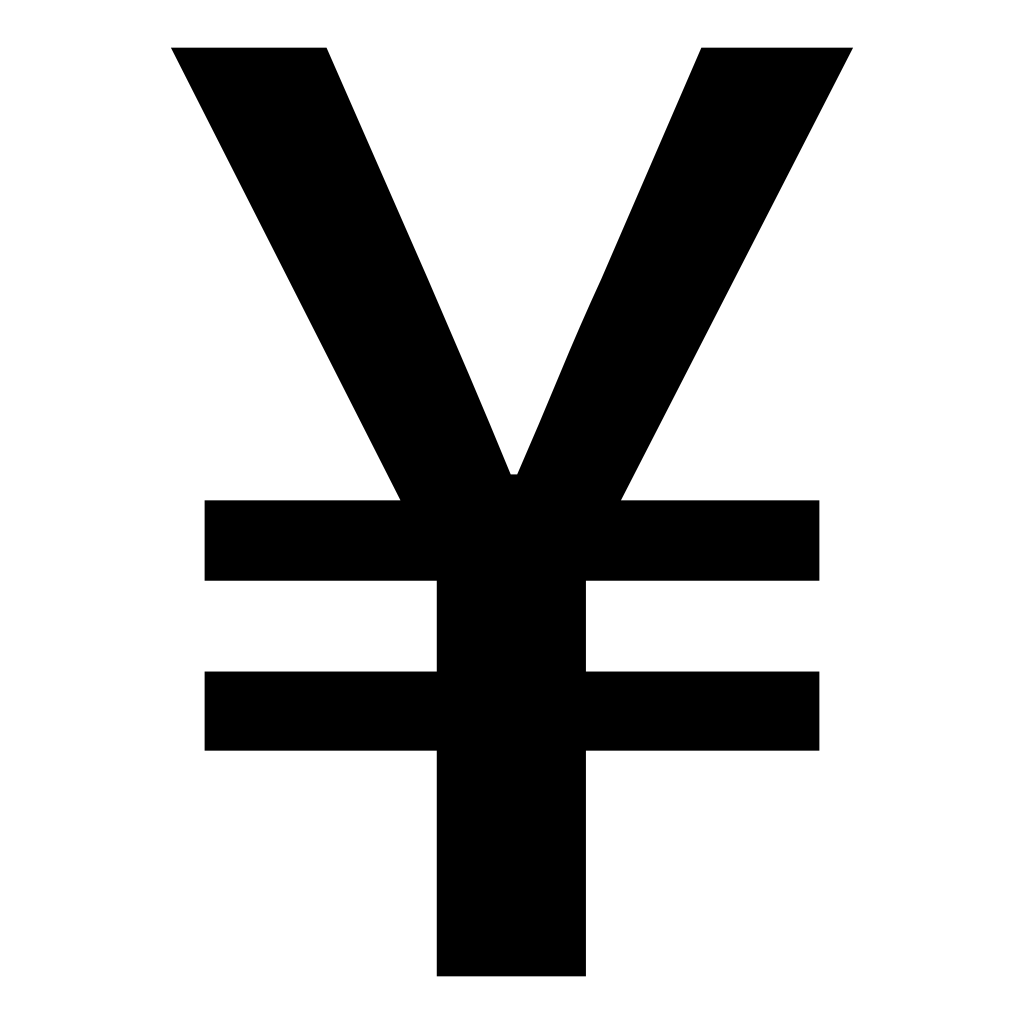
yen symbol · yen sign · symbol for yen
¥ Yen Symbol
The yen symbol ¥ is the currency sign of the Japanese yen (円, ISO code JPY) — and of the Chinese yuan. You will see it on every price tag in Japan, from ¥1,000 shop prices to USD/JPY exchange rates. Click the card below to copy it.
Works on any device and browser — paste with Ctrl+V or Cmd+V.
Related currency symbols
On Windows, hold Alt and type the code on the numeric keypad — every shortcut is in How to type below.
How to type the yen symbol ¥ on any device
The yen sign is not on most English keyboards, but every operating system has a shortcut for it. Pick your platform:
Windows
- Turn on Num Lock so the numeric keypad produces digits.
- Hold Alt, type 0165 on the numeric keypad, release Alt — the ¥ appears at the cursor.
Tip: No numeric keypad? Open the emoji panel with Win + . (or Win + ;) and find ¥ under Symbols → Currency symbols, or search "Character Map" in the Start menu. Note: the number row above the letters will not work for Alt codes — it must be the keypad.
Mac
- Hold the Option key.
- Press Y — the ¥ appears at the cursor, in any app.
Tip: Option + Y works system-wide on macOS. If you prefer a picker, press Control + Command + Space to open the Character Viewer and search "yen".
iPhone & iPad
- Tap the 123 key to switch to the number keyboard.
- Press and hold the $ key — a row of currency symbols pops up — then slide to ¥ and release.
Tip: The same press-and-hold gesture on $ also offers €, £, ₩ and ¢. On an iPad with a hardware keyboard attached, the Mac shortcut Option + Y works too.
Android
- Tap ?123 to switch to the number keyboard.
- Press and hold the $ key, then slide to ¥ in the pop-up and release.
Tip: The exact layout varies between Gboard, Samsung Keyboard and others, but the yen sign always hides behind a long-press on the dollar key.
Chromebook
- Press Ctrl + Shift + U to start Unicode input — an underlined "u" appears.
- Type 00a5, then press Enter or Space to confirm.
Tip: Alternatively press Search + . (Launcher + period) to open the emoji and symbol picker and search "yen".
Linux
- Press Ctrl + Shift + U in most GTK apps.
- Type a5, then press Enter to insert the ¥.
Tip: With a compose key configured, Compose + Y + = produces ¥ on most desktop environments.
In Word, Excel & other office apps
Office software adds its own shortcuts on top of the system ones above.
Microsoft Word
- Type 00A5 where you want the symbol.
- Press Alt + X — the code converts to ¥ in place.
- Or go to Insert → Symbol → More Symbols → Latin-1 Supplement.
- Type it often? Set up AutoCorrect: File → Options → Proofing → AutoCorrect Options → replace "(yen)" with ¥.
Tip: Alt + X also works in Outlook and PowerPoint, but not in Excel. On a Mac, the system-wide Option + Y shortcut works in every Office app.
Microsoft Excel
- Click the cell (or press F2 to edit it).
- Hold Alt, type 0165 on the numeric keypad, release Alt — the ¥ appears in the cell.
- Formula option: =UNICHAR(165) returns ¥ (CHAR(165) works in older Windows Excel).
Tip: For amounts, formatting beats typing: select the cells, press Ctrl + 1 → Currency, and pick ¥ as the symbol — the numbers stay numeric. Excel does not support Word's Alt + X shortcut.
Google Docs
- Go to Insert → Special characters.
- Search "yen" (or draw the shape) and click ¥.
Tip: Faster for repeated use: copy ¥ once from this page and paste with Ctrl+V — or set up Tools → Preferences → Substitutions to auto-replace "(yen)" with ¥. In Google Sheets, the formula =UNICHAR(165) produces ¥.
Rather not memorize shortcuts?
Bookmark this page and copy the symbol whenever you need it — it is faster than any alt code.
Yen symbol ¥ codes for developers
Every encoding of the yen sign in one place — Unicode, HTML entities, CSS, JavaScript and URL encoding. Click any chip to copy it.
Unicode
| Format | ¥ yen sign |
|---|---|
| Code point | |
| Official name | |
| UTF-8 bytes | |
| UTF-16 |
HTML & XML
| Format | ¥ yen sign |
|---|---|
| Named entity | |
| Decimal entity | |
| Hex entity |
Programming
| Format | ¥ yen sign |
|---|---|
| CSS content | |
| JavaScript / JSON | |
| Python | |
| LaTeX | |
| URL percent-encoding |
Keyboard entry
| Format | ¥ yen sign |
|---|---|
| Windows alt code | |
| Mac shortcut |
- ¥ lives in the Latin-1 Supplement Unicode block, which mirrors the old ISO-8859-1 encoding — that is why it renders correctly almost everywhere, even in legacy systems.
- In UTF-8, ¥ takes two bytes (C2 A5). If you see
Â¥on a page, the text is UTF-8 being read as Latin-1 — a charset mismatch, not a problem with the symbol itself. - Japanese and Chinese text often uses thefullwidth form ¥ (U+FFE5 FULLWIDTH YEN SIGN), which fills a whole character cell and aligns with CJK glyphs. Its UTF-8 bytes are EF BF A5 — a different character from ¥, with the same meaning.
The yen sign: one symbol, two currencies
The symbol for yen — and for yuan
The ¥ is first and foremost the sign of the Japanese yen, Japan's currency since the New Currency Act of 1871 (ISO 4217 code JPY, written 円 in Japanese). The yen is the third-most traded currency on the foreign exchange market, after the US dollar and the euro, so its sign is recognized far beyond Japan. Note the spelling: Japanese speakers say en (¥100 is read hyaku-en) — English keeps the older "yen" because 16th-century Portuguese missionaries wrote the sound as "ye" and the spelling stuck. But the same glyph is also used for the Chinese yuan (CNY, written 元, the unit of the renminbi). The shared symbol works because both words come from characters meaning "round" — a round coin. When a document mixes the two currencies, writers disambiguate with prefixes: JP¥ for yen, CN¥ for yuan.
Why a Y with two bars
When Japan modernized its currency in the Meiji era, it named the new unit yen from the character 圓 ("round") and needed a Western-style sign for international trade. The new sign followed the convention of the day — a letter struck through with bars, like $, £ and later € — taking the capital Y of "yen" with two horizontal strokes. Some fonts draw the sign with a single bar instead; both variants are the same character, U+00A5, and both are read as the yen sign.
¥, ¥ and the backslash mystery
Japanese computing adds two quirks. First, Japanese text often uses the fullwidth yen sign ¥ (U+FFE5), which occupies a full character cell so it aligns with kanji — Japanese input methods produce this form by default. Second, on Japanese Windows the path separator famously appears as ¥ (C:¥Users¥…): the old JIS X 0201 encoding put the yen sign at byte 0x5C, where ASCII keeps the backslash, and compatibility has preserved the quirk ever since. It is still a backslash underneath — everything works the same.
The yen sign in the wild
You will meet the ¥ on Japanese price tags and receipts, on menus (often with tax notes like "tax included"), in exchange-rate quotes such as USD/JPY, and anywhere the Chinese yuan is priced. Japan's banknotes come in denominations of ¥1,000, ¥5,000 and ¥10,000 (the ¥2,000 note is a rare sight), its coins from ¥1 to ¥500. Click any example below to copy it:
The symbol always precedes the amount — ¥1,000, never 1,000¥ — while in Japanese prose the amount may instead be followed by the kanji, as in 1000円.
Frequently asked questions
How do I copy the ¥ symbol?
Click the ¥ card at the top of this page and the yen symbol is copied to your clipboard instantly. Then paste it anywhere with Ctrl+V (Windows) or Cmd+V (Mac).
What is the alt code for the yen symbol?
On Windows, hold Alt and type 0165 on the numeric keypad. The yen sign is one of the few symbols whose legacy code works too: Alt + 157 (from the old IBM code page 437) also produces ¥ on most systems. On a Mac, the shortcut is simply Option + Y.
How do I type ¥ on a Mac?
Press Option + Y and the ¥ appears at your cursor. It works system-wide: Pages, Word, browsers, and every other app. You can also open the Character Viewer with Control + Command + Space and search "yen".
How do I type ¥ on an iPhone or Android phone?
Switch to the number keyboard (123 or ?123), then press and hold the $ key — a small pop-up of currency symbols appears. Slide your finger to ¥ and release. The same press-and-hold trick also offers €, £, ₩ and ¢.
Is ¥ the symbol for yen or for yuan?
Both. ¥ is the official symbol of the Japanese yen (ISO code JPY, written 円 in Japanese) and is also widely used for the Chinese yuan (CNY, written 元, the unit of the renminbi). Context usually makes the currency clear; when it does not, writers add a prefix such as JP¥ or CN¥.
Why is it spelled "yen" but pronounced "en" in Japanese?
Blame 16th-century Portuguese missionaries. They heard the Japanese sound え as "ye" and wrote it that way, and the spelling reached English through early dictionaries: James Curtis Hepburn used the "ye" convention in his influential 1867 Japanese-English dictionary, and when he later modernized "ye" to "e" he deliberately kept "yen". Japanese speakers today say en (so ¥100 is hyaku-en); English kept the old "yen".
What is the fullwidth yen sign ¥?
¥ (U+FFE5 FULLWIDTH YEN SIGN) is the fullwidth form of ¥ used in Japanese and Chinese typography, where it takes up a full character cell so it aligns with CJK glyphs. ¥ (U+00A5) is the standard halfwidth form used in English text. They mean the same thing — Japanese input methods typically produce the fullwidth ¥.
What is the Unicode for the yen symbol?
The yen sign is U+00A5 (YEN SIGN) in the Latin-1 Supplement block. In HTML you can write it as ¥, ¥ or ¥; in UTF-8 it is the two bytes C2 A5; percent-encoded in a URL it is %C2%A5.
Does the ¥ go before or after the amount?
Before the amount, just like the dollar sign: ¥1,000 is read "one thousand yen". No space is needed between the symbol and the number. In Japanese text you will also see the amount followed by the kanji, as in 1000円.
How do I type ¥ in Word, Excel or Google Docs?
In Microsoft Word, type 00A5 and press Alt + X — the code turns into ¥. In Excel, use the Windows alt code Alt + 0165 inside the cell or the formula =UNICHAR(165). In Google Docs, go to Insert → Special characters and search "yen".
Why does my Japanese computer show ¥ instead of a backslash?
It is a legacy of the old Japanese encoding JIS X 0201, which placed the yen sign at the byte value 0x5C — the same value ASCII uses for the backslash. Japanese Windows still renders path separators as ¥ (C:¥Users¥…) for compatibility, but underneath it is an ordinary backslash and everything works the same.
Why is the ¥ alt code not working?
Three common causes: you must use the numeric keypad (the number row above the letters does not work), Num Lock must be on, and you need the full 4-digit code 0165. On laptops without a keypad, look for an Fn-activated embedded numpad — or skip the fuss and copy ¥ directly from the top of this page.
Download the yen symbol
Free ¥ artwork in three formats — for designs, documents and print. No attribution required.